
 by Vorelyon
Your whole clinic in one app
with AI at your side
Patient files, visits, labs and imaging, suggested diagnosis and treatment, prescriptions on syndicate paper, reception queue, nutrition and income. Works offline and syncs automatically across the clinic's computers.
Designed with a doctor, for real clinics
From the moment a patient checks in at reception to the printed prescription and the follow-up visit.
One-screen visit
Complaints from presets, chronic diseases, surgeries and current medication, with the full history in view.
Labs & imaging
Photograph or upload a report and the results are extracted into a clear table with abnormal values flagged.
Suggested diagnosis & treatment
Diagnosis cards with evidence and comparison to earlier visits; treatment starting from your clinic's medicines.
Syndicate prescriptions
A professional template that leaves room for the pre-printed logo and serial number, editable before printing.
Reception & queue
The nurse registers patients, exams and payment; the queue appears on the doctor's screen instantly.
Nutrition patients
Body composition over time, diet plans in the doctor's own style, sent via WhatsApp.
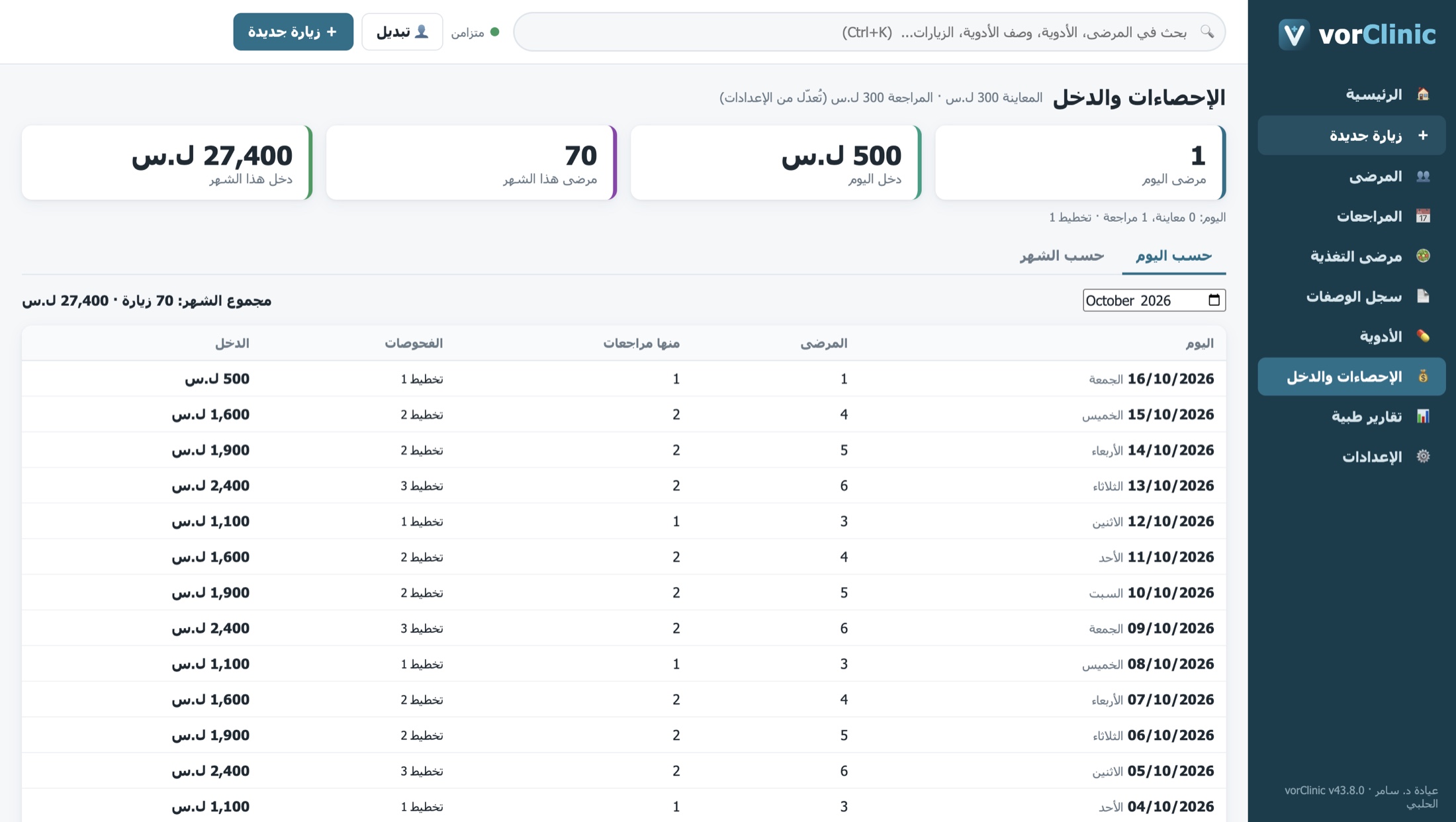
Statistics & income
Patients and income per day and month, including exams, browsable by day or month.
Local first, cloud synced
Works offline and syncs to an encrypted server. Reinstall, sign in, and everything is back.
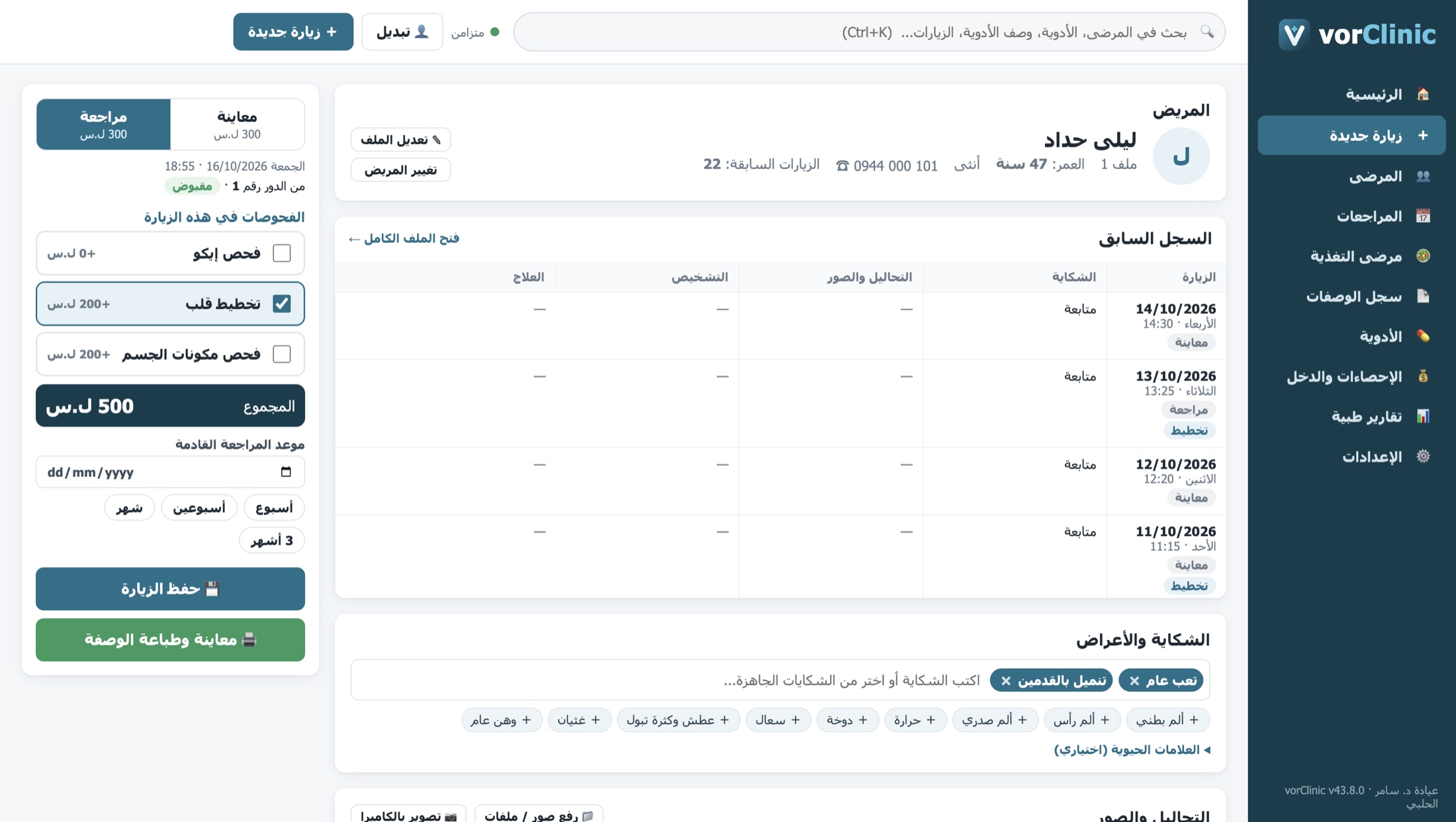
The patient's whole history, one card per visit
Open a returning patient and see each visit's date and time, complaint, labs and imaging, diagnosis and treatment side by side.
- Complaints, chronic diseases, surgeries and medication from presets or free text
- Visit exams (echo, ECG, body composition) with fees added automatically
- Next follow-up date and missed appointment tracking
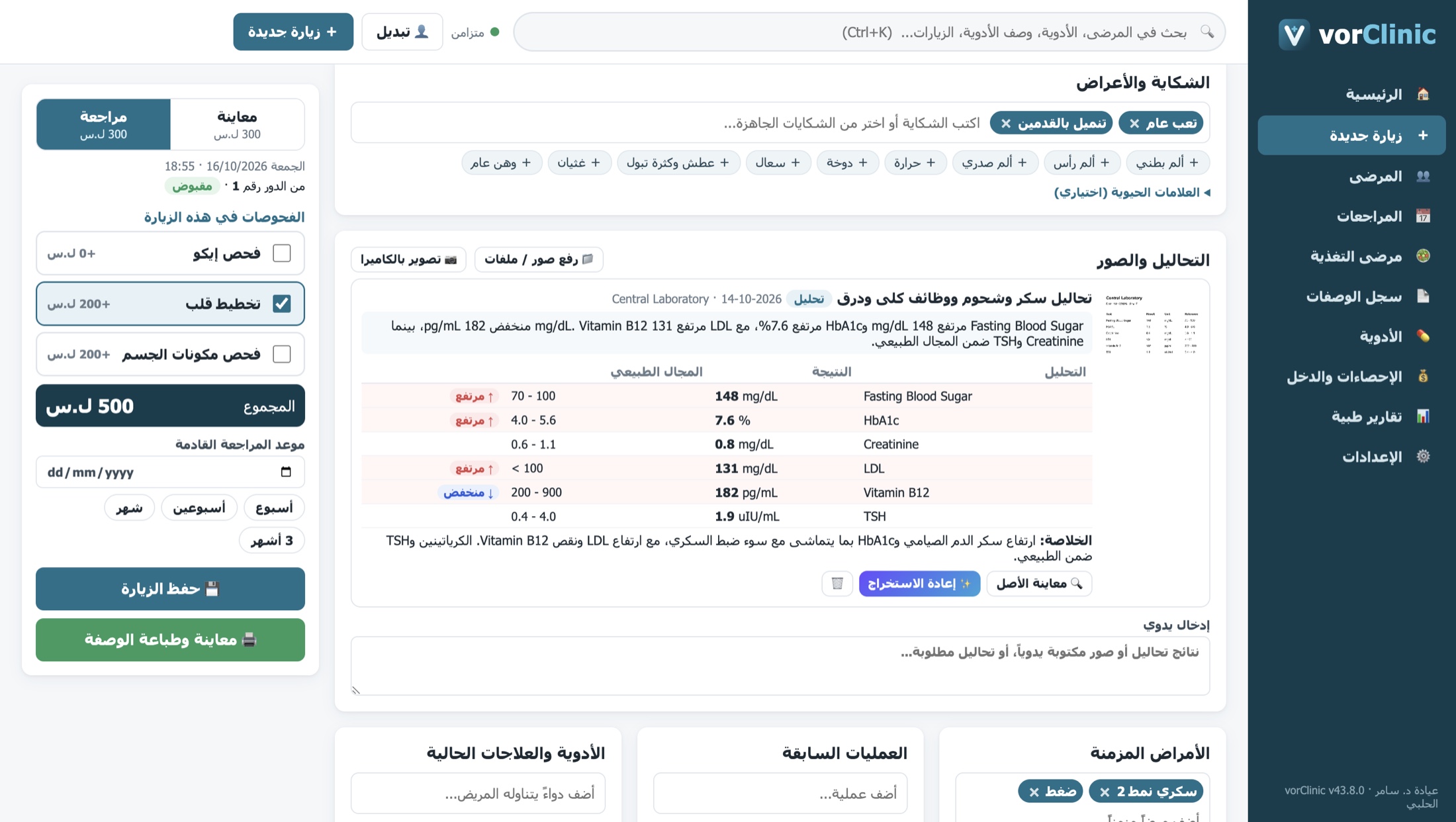
Snap the lab report and vorClinic reads it
Upload an image or PDF, or capture with a camera. Values, units and reference ranges are extracted into a table while the original stays available for review.
- Labs, X-rays, ECGs, echo and body composition reports
- InBody reports fill the nutrition measurements automatically
- High and low values highlighted
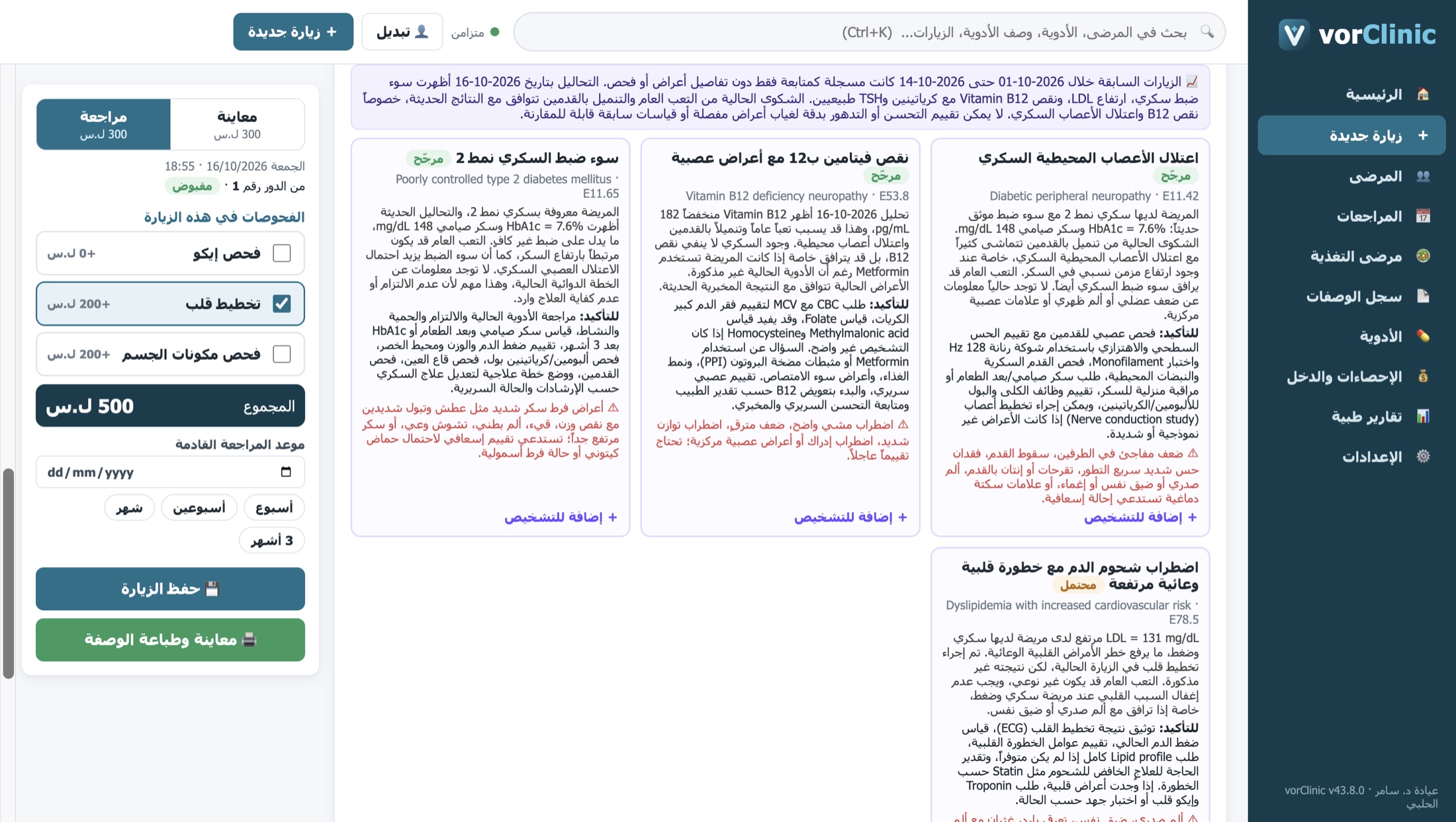
Suggested diagnosis and treatment
Based on everything known about the patient in this visit, earlier visits and lab results. Several diagnoses ranked by likelihood, with reasoning and confirmatory tests, then a treatment plan that starts from the medicines saved in your clinic and suggests local brand alternatives.
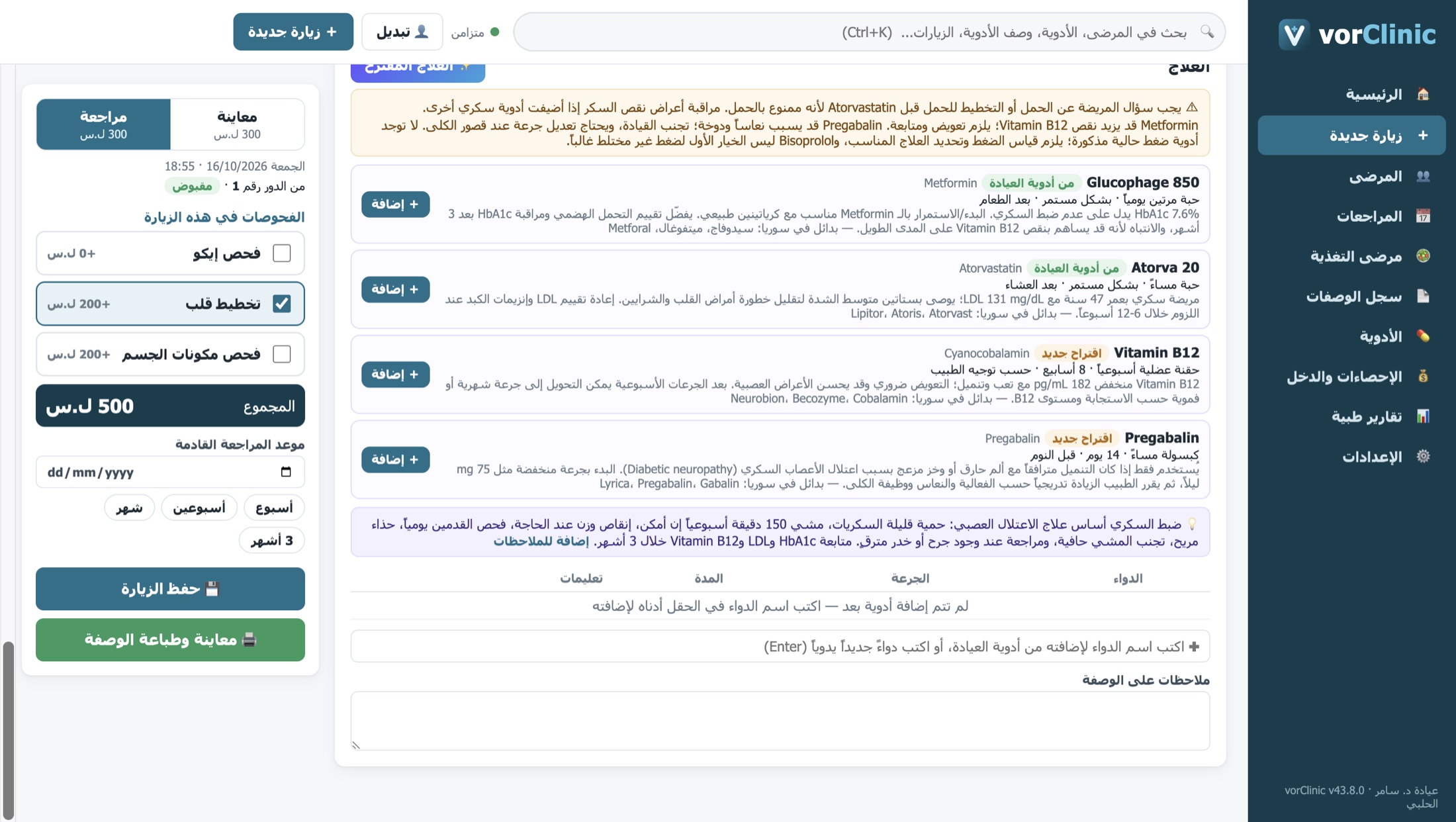
From suggestion to printed prescription in two clicks
Add a suggested medicine with dose and duration, or pick from the clinic's list, then preview the prescription at the exact paper size and edit any text before printing.
- Allergy and interaction warnings
- Prescription templates and copy last prescription
- Offers to save any new medicine to the clinic list
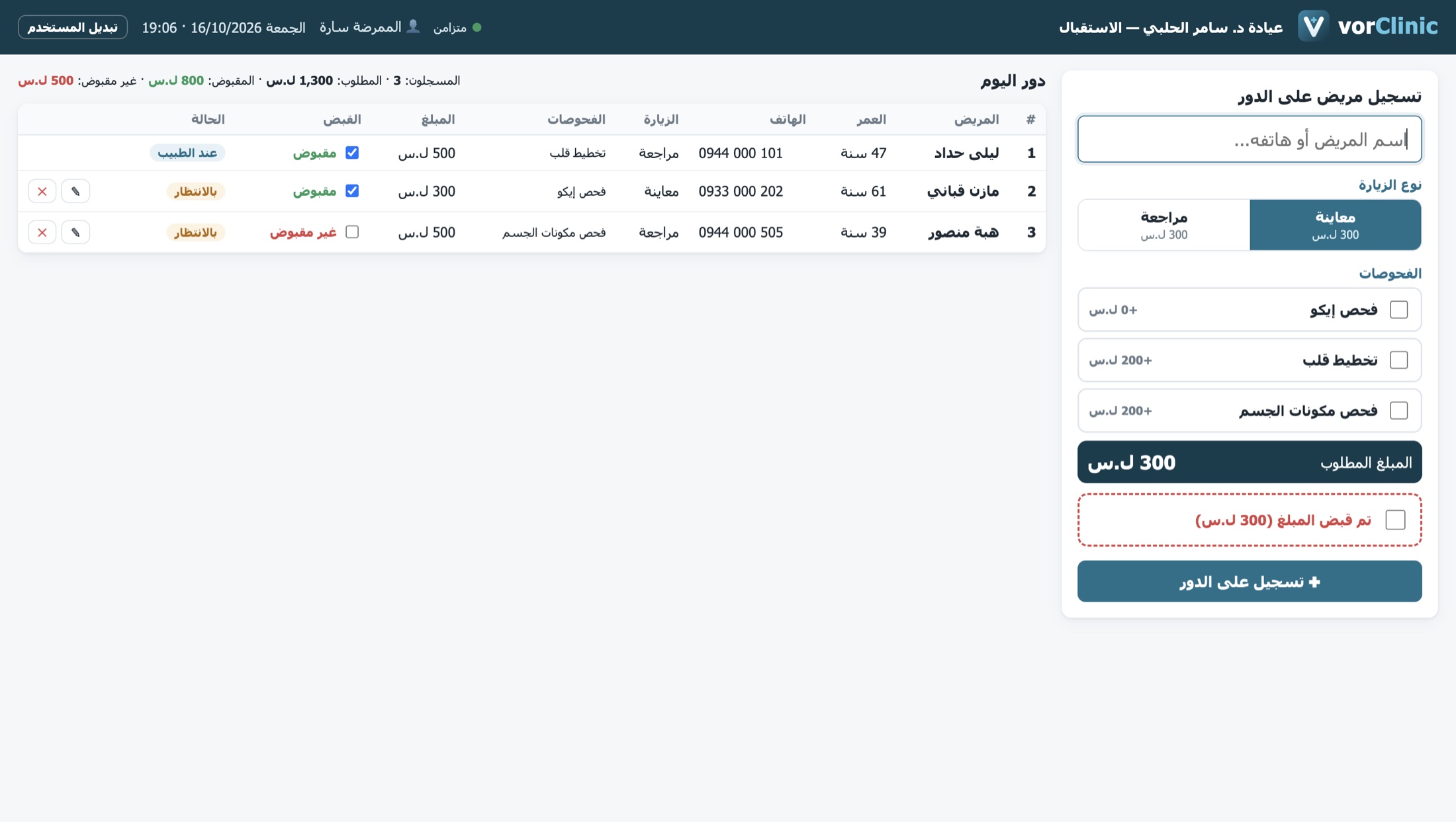
Reception prepares the queue; the doctor focuses on the patient
Limited accounts for nurses or receptionists: register new or returning patients, first visit or follow-up, exams, and payment. They never see the medical file, only name, age and phone.
- The queue shows on the doctor's home screen instantly
- Daily paid and unpaid totals
- The doctor adds and removes admin accounts
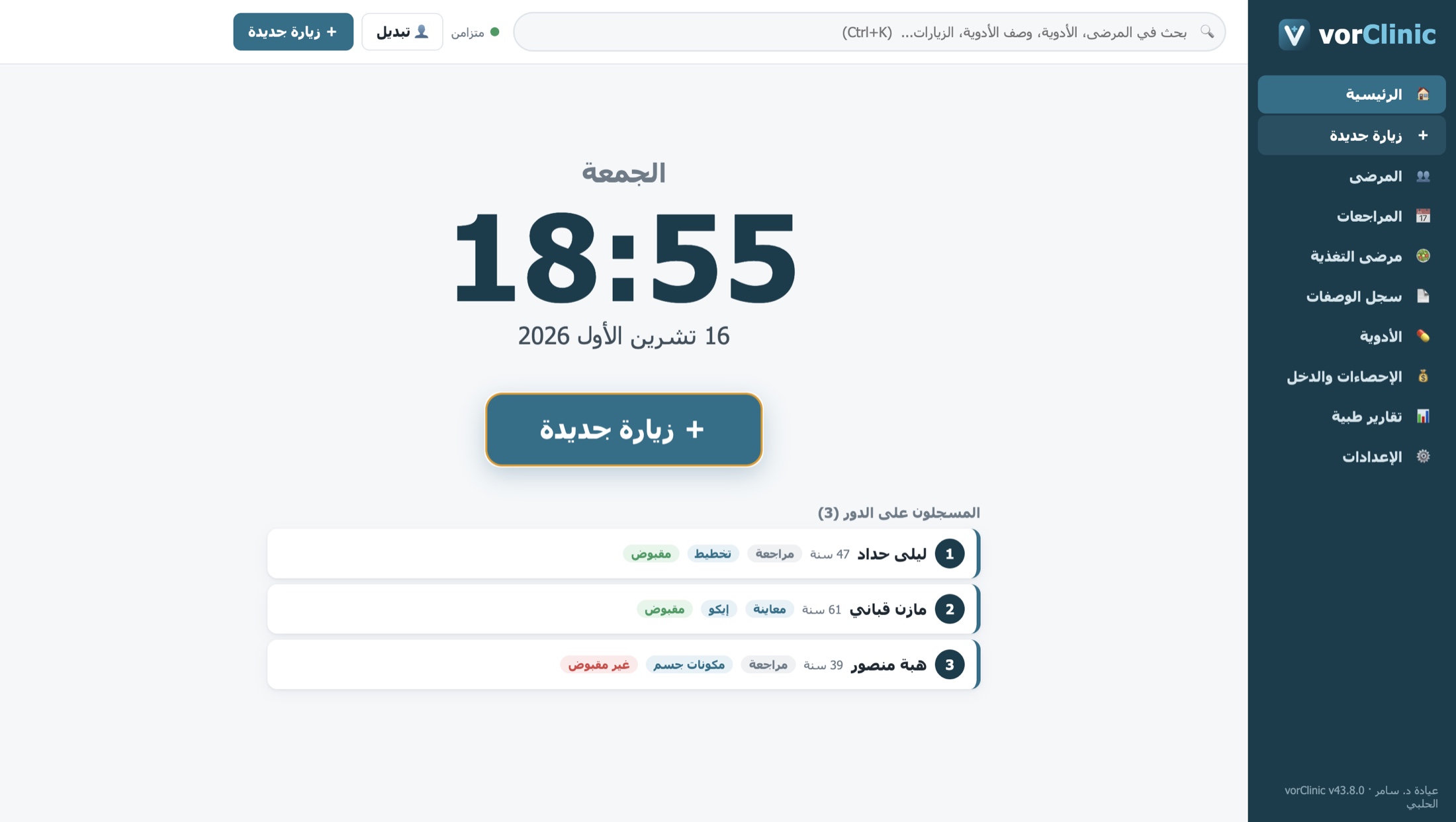
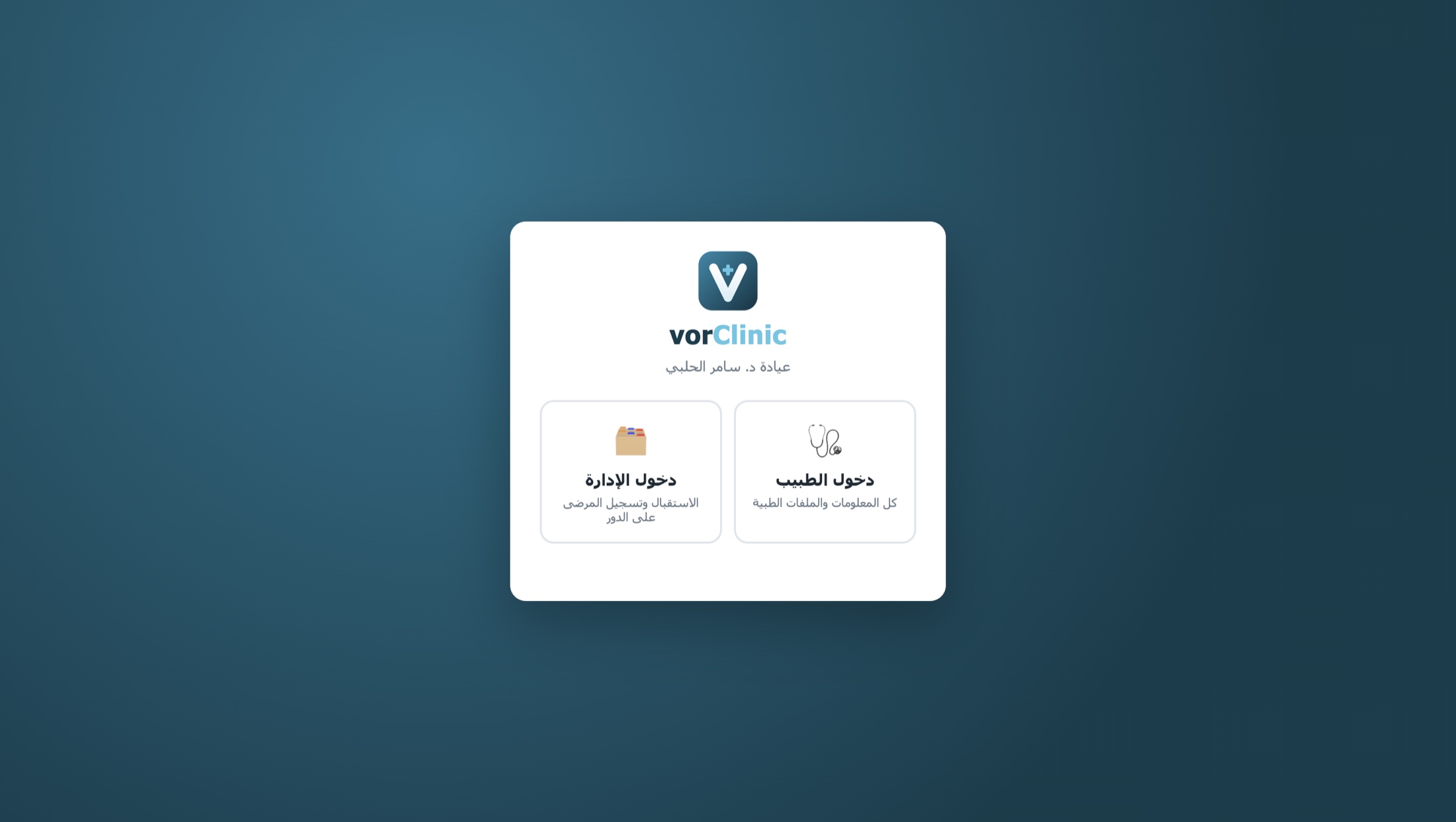
A home screen without details
The home screen shows only the clock, date, a "new visit" button and today's queue, so a patient sitting next to the doctor sees nothing that isn't theirs.
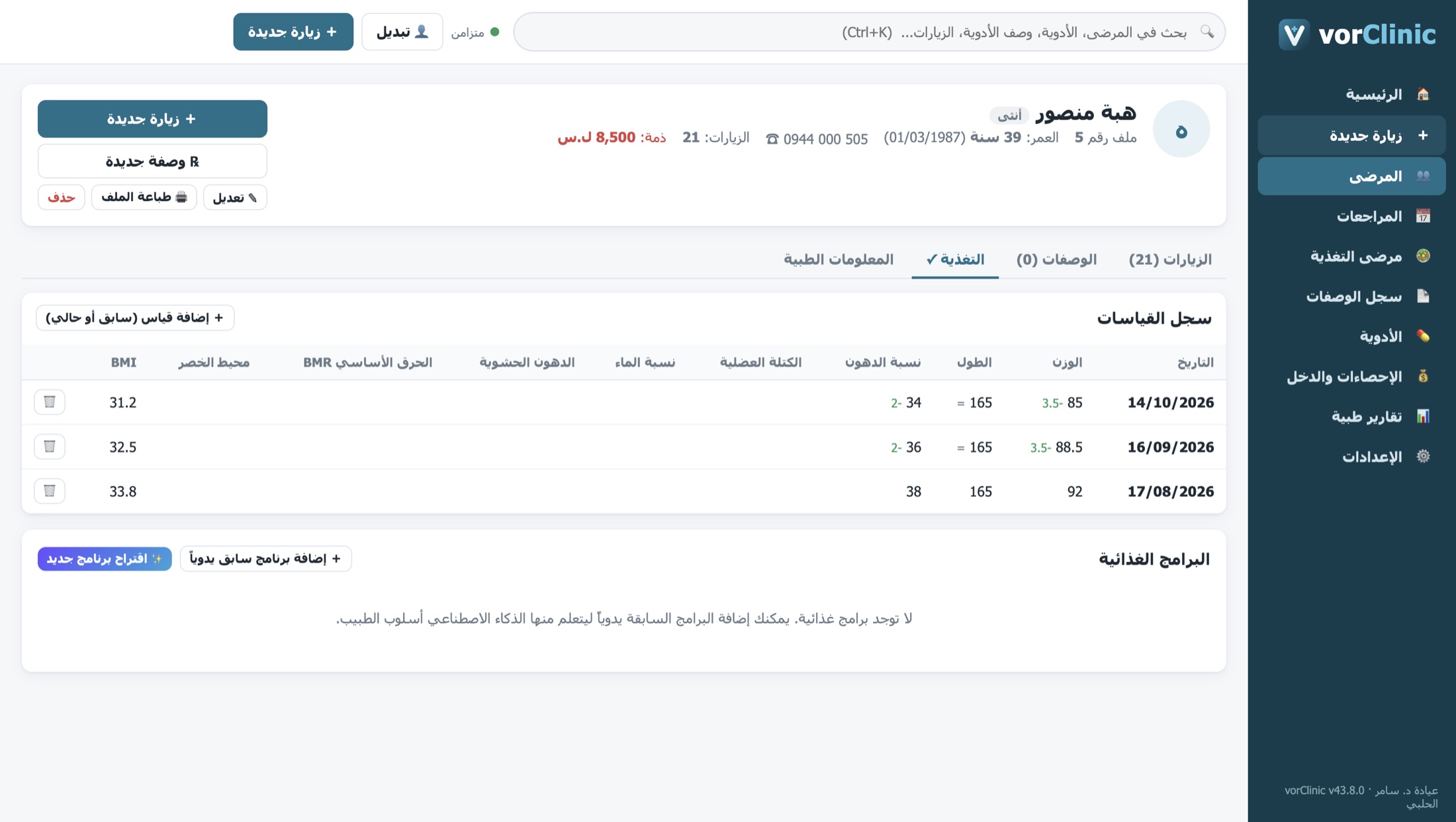
Track nutrition patients by the numbers
Weight, fat, muscle, water and more at each visit, with change since last time and since the start. Suggested diet plans in the doctor's own style, ready to print or send via WhatsApp.
Today's and this month's income at a glance
Patients, first visits, follow-ups and exams, with income calculated from the doctor's prices, browsable per day or per month.
Built for the realities of clinics in Syria
Slow internet? Power cuts? vorClinic always works locally and syncs whenever a connection is available.
🔒 Encrypted data
Each clinic's data is encrypted on the server with its own key, with daily backups.
📴 Works offline
Local first; small, fast sync every few seconds when online.
🔄 Nothing gets lost
Broken PC or reinstall? Sign in and everything comes back where you left it.
👥 Clear permissions
The doctor's account has its own secret; admin accounts cannot see medical files.
🧠 Privacy-respecting AI
No patient name or phone number is sent, only the medical information needed.
🇸🇾 Made for Syria
Arabic interface, Syrian pounds, syndicate prescription paper and local medicine brands.
Download vorClinic for your clinic
One installer for Windows 10 and 11, 32-bit and 64-bit. A licence code is required to activate.
vorClinic for Windows
⬇ Download installer (recommended) Portable version (no install)SHA-256 Portable: b329597177e4405ee580be8fb3bcbd70febc5f0a3214d22a926fb12e91c89a2b
Getting started
- Install on each clinic computer (doctor and reception). If Windows shows a warning, click "More info" then "Run anyway".
- Enter your licence code once on each computer (internet required).
- Create the doctor account on the first computer, or sign in on the others.
- Start working: doctor or admin sign-in. The doctor adds reception accounts in Settings.
One licence per clinic
Monthly or yearly subscription including every feature and update.
vorClinic for your clinic
One licence covers the clinic's computers (doctor and reception).
- Every feature, including AI
- Encrypted cloud sync and daily backups
- Unlimited reception accounts
- Import from your previous clinic software
- Ongoing support and updates
We set up your licence and help migrate your existing data.
Request a licenceinfo@vorelyon.com
Before you start
Does it work without internet?
Yes. All work happens on the clinic computer and syncs with the server when online. Internet is needed for first activation, for AI, and to check the licence at least once a week.
Does the AI work from Syria?
Yes. It runs through vorClinic's servers, so no VPN or personal account is needed.
Can I bring my data from my previous software?
Yes. Patients, visits, complaints, prescriptions and medicines can be imported from the previous program's MySQL backup. Contact us and we'll help.
What if the computer breaks or Windows is reinstalled?
Install vorClinic again, enter the licence and sign in. All your data returns from the server.
Can reception staff see medical files?
No. Admin accounts see name, age and phone only, enforced in the app and on the server.
Does it print on syndicate prescription pads?
Yes. The template leaves space for the pre-printed syndicate logo and serial number, and sizes and offsets can be calibrated with a test page.